
You want the coolest, safest nursery on the block. I get it. I wanted that exact same thing when my first kid was coming.
Walking into the baby aisle is completely overwhelming. Every single box promises better sleep and total peace of mind. But buying every shiny gadget out there is a massive trap.
We need to build a room that actually helps us sleep. Let’s talk about the best smart nursery gadgets setup that actually works in the real world. I went down the tech rabbit hole so you do not have to.
If you are just starting out, definitely check our new dad tech list first.
We are going to keep this simple, honest, and highly effective. You do not need a degree in computer science to be a great dad. You just need the right tools for the job.
What Should Be in a Smart Nursery? The Short Answer
A functional smart nursery only needs four core elements. You need a reliable video monitor with breathing tracking. You also need a dedicated white noise machine.
A sunrise-mimicking smart light is your third essential item. Finally, add a quiet HEPA air purifier to the room. Avoid gimmicks that require constant app management on your phone.
Your goal is peace of mind, not more screen time. We want tools that fade into the background. They should work silently while we catch a few hours of rest.
Anything more than these four items is usually just marketing hype. Keep your wallet safe and your nursery simple.
My Personal Smart Nursery Disaster (And What I Learned)
I remember sitting on the cold bathroom floor at 3 AM. My newborn son was crying loudly in the next room. I was staring at my phone, desperately trying to fix a Wi-Fi connection.
I had bought three different smart plugs for the nursery. They kept disconnecting from the network every single night. The baby monitor app completely crashed right when I needed it most.
I felt completely useless and totally exhausted in that moment. I just wanted to hear my baby breathe safely. Instead, I was resetting a router in the dark while my wife looked at me in pure frustration.
That was my major wake-up call as a new father. Tech should reduce stress, not create a second job for us. We do not need a sci-fi command center in our home.
We just need tools that work when we are running on two hours of sleep. I learned that simpler is always better. I returned two of those smart plugs the very next day.
I kept only the gear that proved its worth. That shift in mindset saved my sanity. You do not need every gadget on the shelf. You just need the ones that actually help your family.
The Core 4: Building the Best Smart Nursery Gadgets Setup
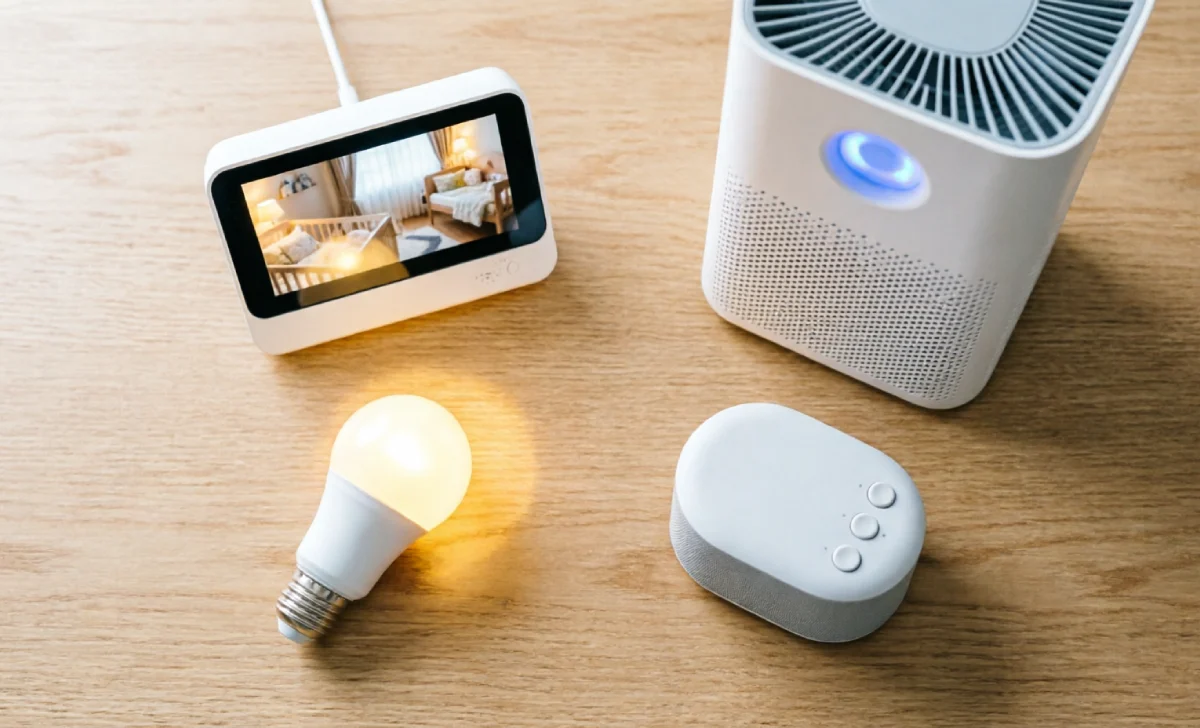
Let’s break down the exact gear you actually need. We call this essential group the Core 4. Think of it as building a fortress of sleep.
First is the video monitor. You want clear video and reliable breathing tracking. Do not settle for grainy night vision in the dark. We recently tested the best baby monitors for this exact reason.
You need to see your baby clearly at all times. Second is the sound. Buy a dedicated, non-Wi-Fi white noise machine.
Smart speakers are great for the living room. But they might randomly play a podcast at 2 AM. A simple, plug-in sound machine is much safer and more reliable.
It mimics the loud, comforting sounds of the womb. Third is the light. Get a smart bulb that mimics a natural sunrise.
This helps both you and the baby wake up gently. It is an absolute game changer for early morning feeds. It prevents that harsh, blinding light from waking you up fully.
Fourth is the air. A quiet, true HEPA smart air purifier is non-negotiable. It keeps dust, pollen, and pet dander out of those tiny newborn lungs.
This best smart nursery gadgets setup covers all the important bases. You get safety, comfort, and much better sleep for everyone. Do not overcomplicate it.
Stick to these four proven categories. Each piece has one specific job to do. When they work together, magic happens.
Nanit Pro vs Miku Pro: Which Breathing Monitor Actually Wins?
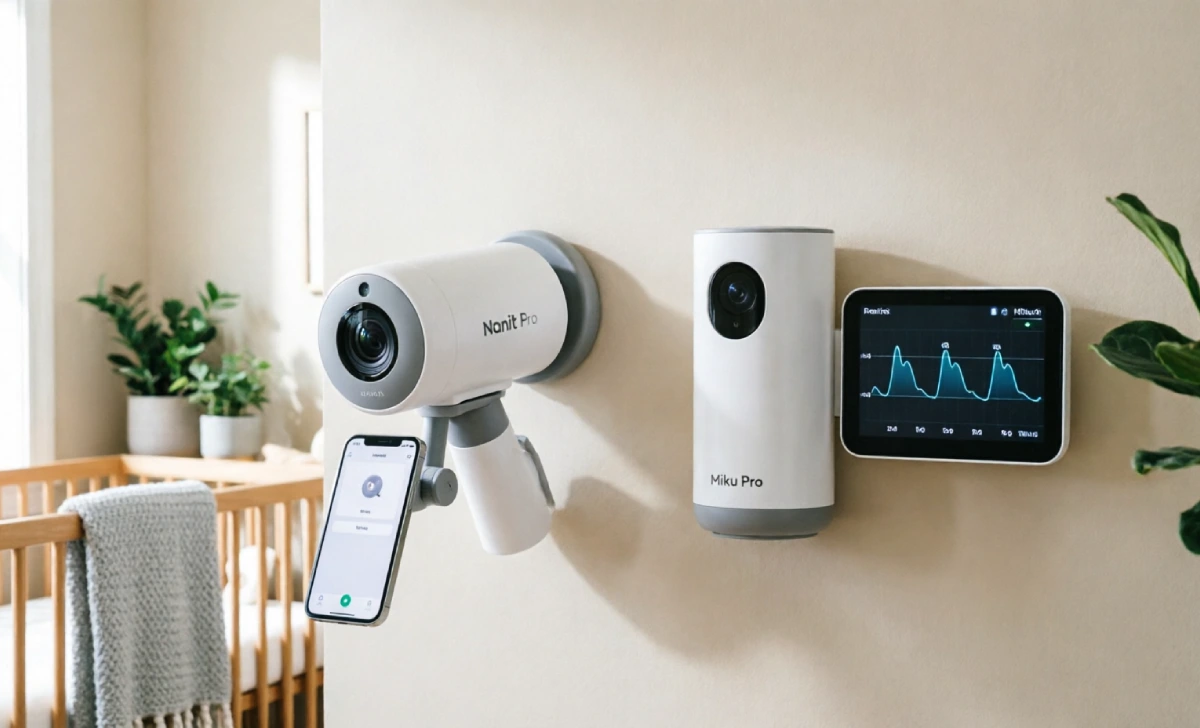
Dads always ask about the top two breathing monitors on the market. Let’s look closely at the Nanit Pro versus the Miku Pro. The Nanit uses computer vision to track your baby’s breathing.
It works well, but it requires a specific swaddle pattern. You have to buy their special blankets for it to work right. The Miku Pro uses sensor-free radar technology instead.
It tracks breathing and sleep without any wearable bands. It also does not require any special swaddles at all. From a pure dad perspective, the Miku wins on ease of use.
You just mount it on the wall and completely forget about it. The Nanit has great video quality, but the subscription fees add up fast. If you want a simple, set-it-and-forget-it system, go with the Miku.
If you love data and do not mind the extra cost, the Nanit is solid. Just remember to find a wall stud before you drill. Drilling into drywall at midnight is a total nightmare.
Is a Wi-Fi Baby Monitor Actually Safe for Your Newborn?
This is a huge worry for many new fathers today. We all read scary headlines about hackers and privacy breaches. But a Wi-Fi baby monitor is safe if you take basic steps.
If you are totally new to this, read our smart home guide for beginners first.
First, always use two-factor authentication on the monitor app. This adds a very strong layer of security to your account. Second, create a separate guest network on your home router.
Put all the baby tech on that specific, isolated network. This keeps it safely away from your main computers and phones. Third, change the default password on the device immediately.
Never use the password printed on the bottom of the box. Fourth, choose a monitor that offers local storage options. This means your video stays in your house, not just in the cloud.
With basic network hygiene, the convenience far outweighs the risk. You can sleep easy knowing your home setup is secure. Your baby is safe, and your mind is at ease.
Quick Practical Tips for Busy Dads
We know you are busy building this room right now. Here are some rapid-fire tips to save you time and money. Turn off non-critical push notifications immediately on your phone.
You need to know if the baby is actually crying. You do not need an alert because the room temperature dropped half a degree. Hardwire everything you possibly can in the nursery.
If a camera or purifier has an Ethernet port, use it. Wired connections are always more reliable than wireless Wi-Fi. Test the night vision and talk-back features before the baby arrives.
Do not wait until 2 AM on day one to figure out the app. Keep the physical manual in a drawer, not the trash. You will definitely need it when the Wi-Fi inevitably acts up.
Also, use zip ties to manage all those power cords. Loose cords are a major safety hazard in a nursery. Label your cords with a marker for easy identification.
You will thank yourself later when you need to unplug something quickly. A tidy room is a safe room. Always keep a spare set of batteries near the sound machine. Nothing is worse than a silent room when you need it most.
Finally, consider a small battery backup for your router. If the power goes out, your monitor stays online. These small steps make a massive difference. They keep your nursery running smoothly every single night.
Final Thoughts on the Best Smart Nursery Gadgets Setup
Building a nursery is a huge milestone for us dads. We want to protect our kids and help our partners rest. But remember the main goal of all this technology.
We are not trying to build a high-tech laboratory. We are trying to buy ourselves a few more hours of sleep. The best smart nursery gadgets setup is the one you set up once and then forget about.
Pick the Core 4 items that fit your family budget. Set them up, test them thoroughly, and then put your phone away. Trust your instincts as a father.
You know what your family needs better than any tech company does. Just remember to practice good family screen time habits as they grow. Fatherhood is a wild ride. The gear is just a tool to help you along the way.

