
You want a smarter home. But every guide you find makes your head hurt. I get it. I have been there. Look, I am no engineer. I am just a dad who was tired of tripping over toys in the dark. I was tired of yelling “turn off the lights” fifty times a night. So I tried to build a beginner smart home for my family. Simple. Cheap. Chaos-proof. I failed at first. Then I figured it out. Here is what actually works.
I Almost Gave Up Before I Started

Let me rewind two years. I bought a smart plug on a whim. It was on sale. I brought it home, opened the box, and felt like a genius. Then nothing worked. The app asked for a “hub.” I did not know what a hub was. The smart plug needed a different brand’s bridge. I had two screaming kids and one dying phone battery. I sat on my living room floor at 10pm. My son had just spilled milk on the rug. My wife gave me that look. You know the look. I gave up. I threw the plug in a drawer. Six months later, a dad friend said, “You are overcomplicating it. Start with three things. That is it.” He was right. And that is what I want to share with you. Related: I wrote about another screw-up here — When My Smart Home Tried to Ruin Date Night.
What the Heck Is a Beginner Smart Home for a Family Anyway?
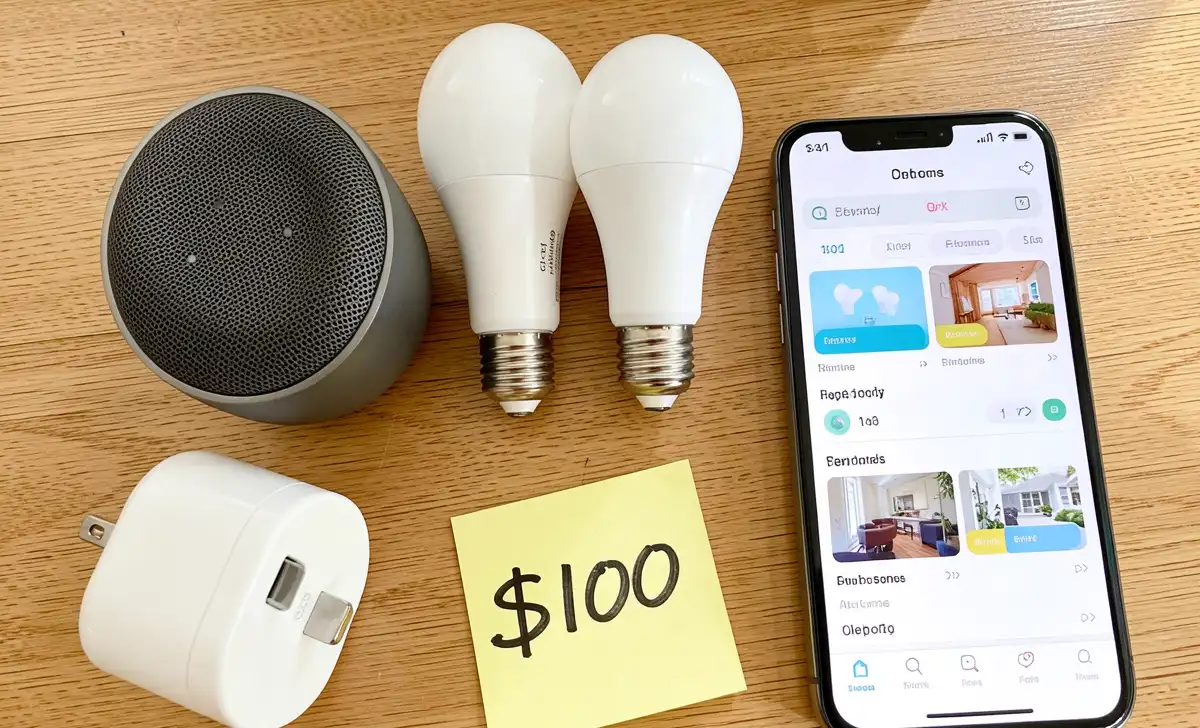
Let me say it in plain dad language. A smart home is not a spaceship. It is just your regular house where a few things listen to you. You tell a speaker to turn off the lights. The lights turn off. You tap your phone to lock the door. The door locks. That is it. No robots. No laser beams. For a family like ours, a beginner smart home setup means three or four cheap devices. They make life a little easier. Not perfect. Just easier. A smart home for beginners family setup uses three or four affordable devices like a smart speaker, two bulbs, and one plug. Total cost under $100. No hub required. No engineering degree needed.
The One Mistake I Made (So You Don’t Have To)
I bought too much stuff at once. I thought more devices meant a smarter home. So I grabbed a smart lock, a motion sensor, and some fancy light strips. None of them talked to each other. I had three different apps on my phone. One brand needed a hub. Another brand only worked with Google. The third one wanted a monthly subscription. My phone looked like a tech support nightmare. Here is the real lesson. Pick one ecosystem. Just one. Either Amazon Alexa or Google Home. That is it. Then only buy devices that say “Works with Alexa” or “Works with Google.” Do not mix and match until you know what you are doing. Trust me on this.
Quick tips for busy dads: Start with one room, not the whole house. Pick the living room or the kids’ bedroom first. Buy only from Amazon Basics, Wyze, or Kasa — cheap and easy. Ignore smart fridges. You do not need a camera inside your milk.
The $100 Starter Kit That Saved My Sanity
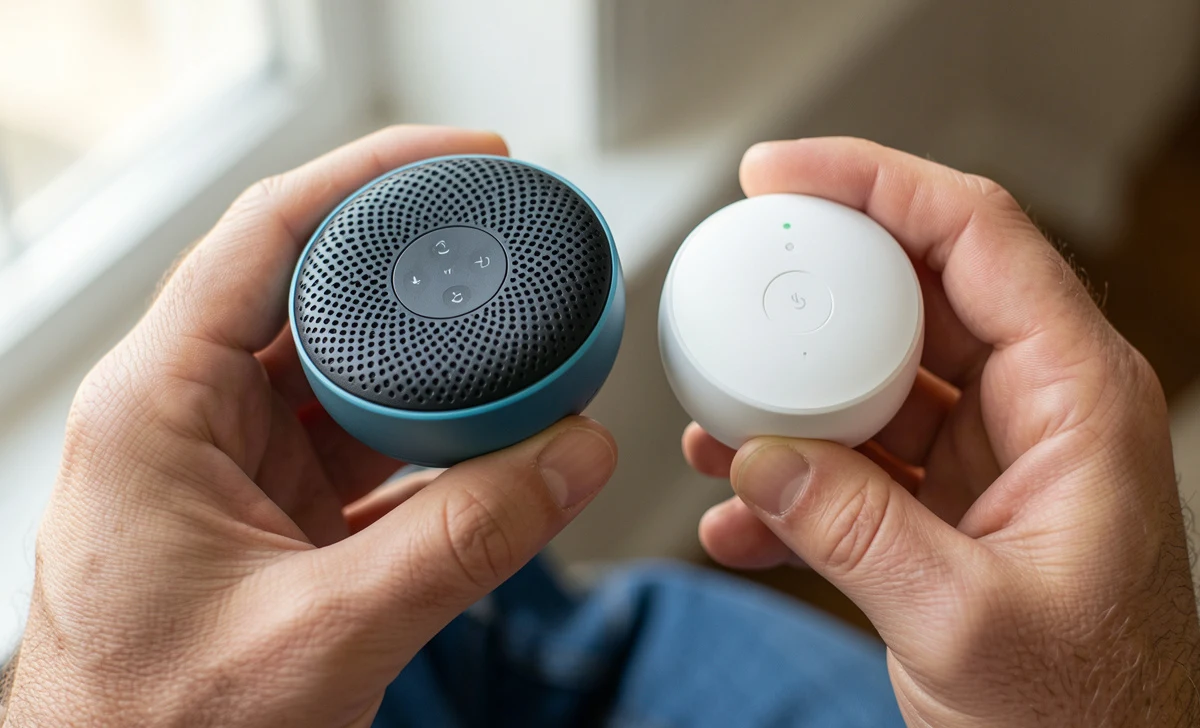
Here is exactly what I bought. And what you should buy. First, one smart speaker. This is the brain. Get an Echo Dot (for Alexa) or a Nest Mini (for Google). They cost $30 to $40 on sale. Do not buy the big expensive one. The small one works fine. Second, two smart bulbs. Get the cheap ones. Wyze bulbs are $8 each. Kasa bulbs are $10. Make sure they say “no hub required.” Most of them do now. Third, one smart plug. This turns a regular lamp or coffee maker into a smart device. Cost is $10 to $15. Again, no hub required. Total cost is around $80. You can spend less if you wait for a sale.
Here is how to set it up. Plug in the speaker. Open the Alexa or Google app. Say “discover devices.” The app finds your bulbs and plug. Rename them something simple. “Living room light” — not “Sophisticated Hue Ambiance Bulb One.” I renamed mine “Kid Lamp” and “Coffee.” Even my 6-year-old helped me do it. Want more cheap tech? Check out The Best Budget Tech for Dads (Under $50).
Three Routines Every Chaotic Family Needs (Set ‘Em Once, Thank Me Later)
Routines are the secret sauce. They make your smart home do stuff automatically. You set them one time. Then you forget about them. Here are three that saved my family’s sanity.
Routine one: “Bedtime for the herd.” At 8:30pm, the smart speaker says, “Time to brush teeth.” Then it turns off all the lights in the living room. It turns on the night light in the hall. It plays ocean sounds for 20 minutes. No yelling. No fighting. Just calm.
Routine two: “Good morning, chaos.” At 6:45am, the kids’ bedroom light slowly gets brighter. Not a sudden flash — a slow sunrise. Then the coffee maker turns on (via the smart plug). Then Alexa tells me the weather. That way I know if it is a “real pants” day or a “sweatpants” day.
Routine three: “Movie time.” I say, “Movie time.” The living room lights dim to 20%. The overhead light turns off. Then the speaker says, “Popcorn is ready. Do not spill it on the couch.” My kids love it. And I look like a hero.
To set these up, open your Alexa or Google Home app. Search for “Routines.” It takes two minutes. It is easier than assembling IKEA furniture. This whole beginner smart home routine works even if you forget half the steps. I forget all the time. It still works.
Quick Hits: 5 Tips for Dads With Zero Patience
You are busy. I am busy. Let me keep this fast. First, name things like a dad. Call it “Kid1 Lamp” not “Phillips Hue Bloom Master Bedroom.” You will thank me at 2am. Second, do not buy a smart lock first. They are fussy and need perfect alignment. Start with bulbs. Trust me. Third, ignore the smart fridge. You do not need a screen on your refrigerator. You have a phone. Fourth, buy from Costco or Amazon Basics. Cheaper, easier returns, dad-approved. Fifth, one device per week. Do not do it all in one Saturday. Buy one bulb on Monday. Set it up that night. Live with it. Then buy the next one. This is how you stay sane.
Real Talk: What If the Wi-Fi Goes Down?
I know what you are thinking. “David, what happens when the internet dies?” Here is the real answer. Your smart bulbs will not work with voice commands. Your smart plug will not turn on. Yes, that is annoying. But every smart bulb also has a normal light switch. Just flip it off and on. The light turns on like it always did. You are not trapped. It is not a sci-fi movie. The house does not lock you inside. The worst case is you have to walk to the lamp. Like a caveman. You will survive.
So You Want to Try Google Home vs. Alexa? (The Dad Verdict)
People ask me all the time. Which one is better? Here is the dad version. No fanboy wars. Choose Alexa if your family already buys stuff on Amazon, you want the cheapest devices (more brands work with Alexa), and your kids will love the silly skills — yes, there is a fart button skill. Choose Google Home if you have Android or Pixel phones, you ask random questions like “how long to boil an egg?” (Google answers better), and you want less “by the way, did you know…” chatter. You cannot lose either way. Pick one. Stick with it. For a simple smart home setup for renters, both work fine. Just do not drill any holes. Use command strips.
You Don’t Need to Be a Tech Guy (Seriously)
I once set off my fire alarm microwaving a Hot Pocket. I once tried to fix a leaky faucet and flooded the bathroom. I am not a tech guy. I am just a dad who learned a few tricks. If I can do this, you can do this. Start with one bulb. Get the win. Let yourself feel good about it. Then decide if you want more. No pressure. No rush. No shame if you stop at two devices.
Here is what comes next. Next week, I will show you how to install a smart doorbell without electrocuting yourself. And after that, I will break down how smart thermostats saved us $50 a month. But for now? Go buy that one smart bulb. Name it something dumb. And smile when you tell the lights to turn off from your couch. You have got this, dad.

